

 Файловый менеджер
  Калькулятор
  Переводчик
  Заметки
  Валюта
  Пароль
  Обратный отсчёт
  Быстрые настройки
  Сканер
  GPS Set
  Сирена SOS
  Пульс
Пульс  Smart Brain
  Магнитное поле
  Шумомер
  Вибрация
  Расстояние
  Путешествие
  Шагомер
  Пианино
  Колпачок для клавиатуры ASMR
 Скриншоты приложения
Основные возможности
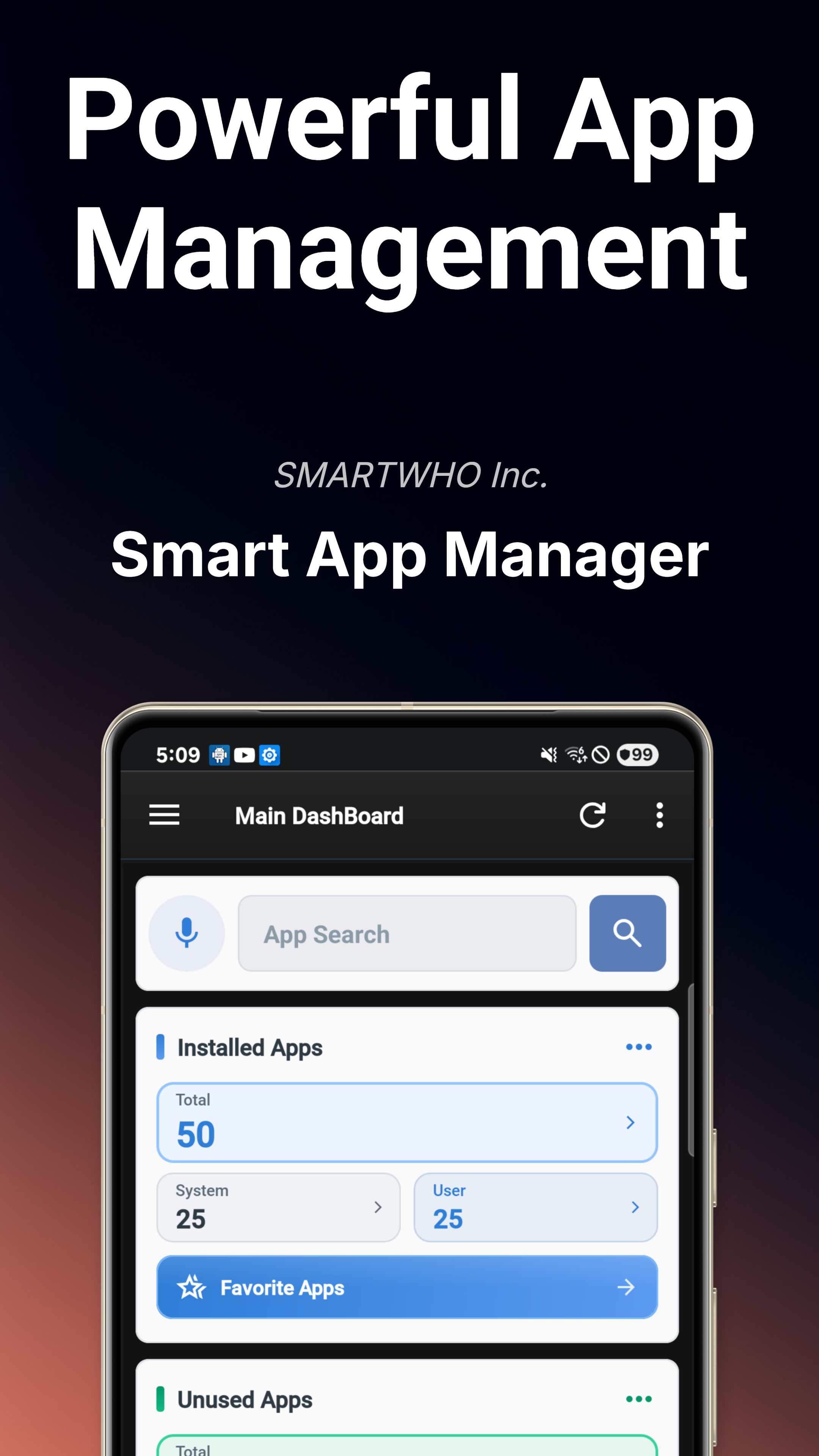
Главная панель управления
Обзор состояния устройства в реальном времени: системный статус, риски безопасности, аудит разрешений и тренды уведомлений с одного взгляда.
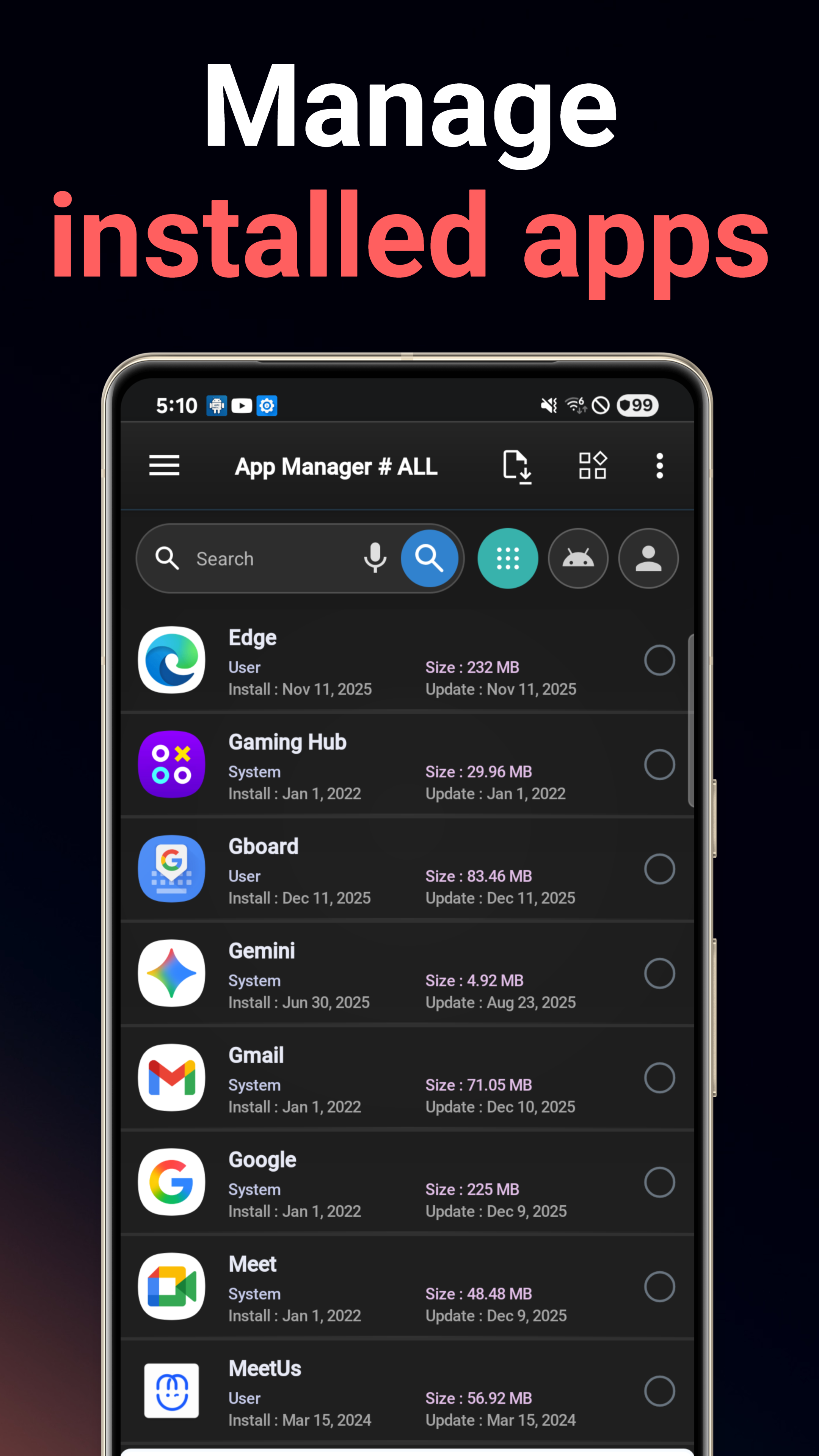
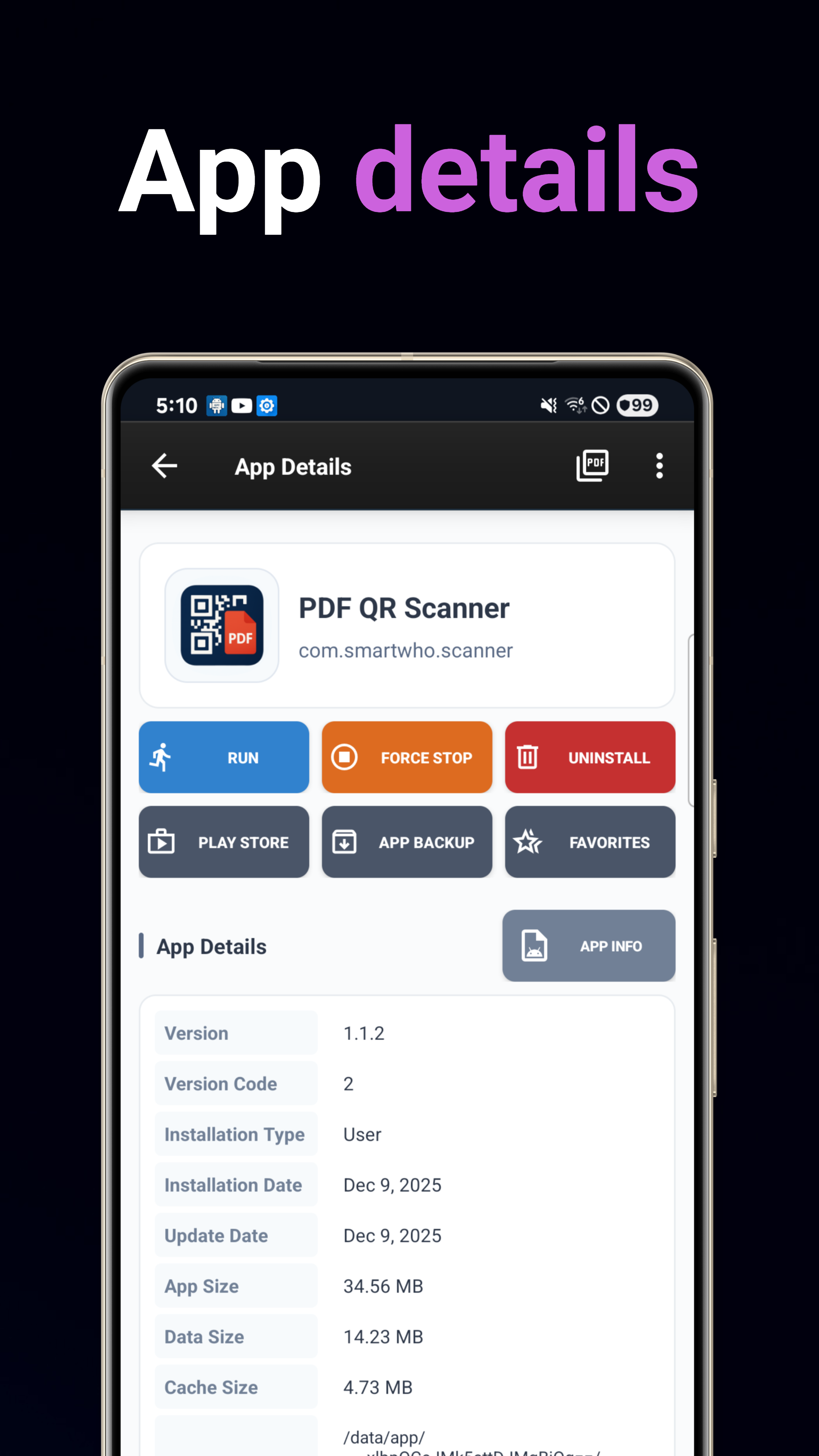
Менеджер приложений
Устанавливайте, удаляйте, создавайте резервные копии и восстанавливайте приложения. Расширенный поиск с многокритериальной сортировкой по имени, дате, размеру или использованию.
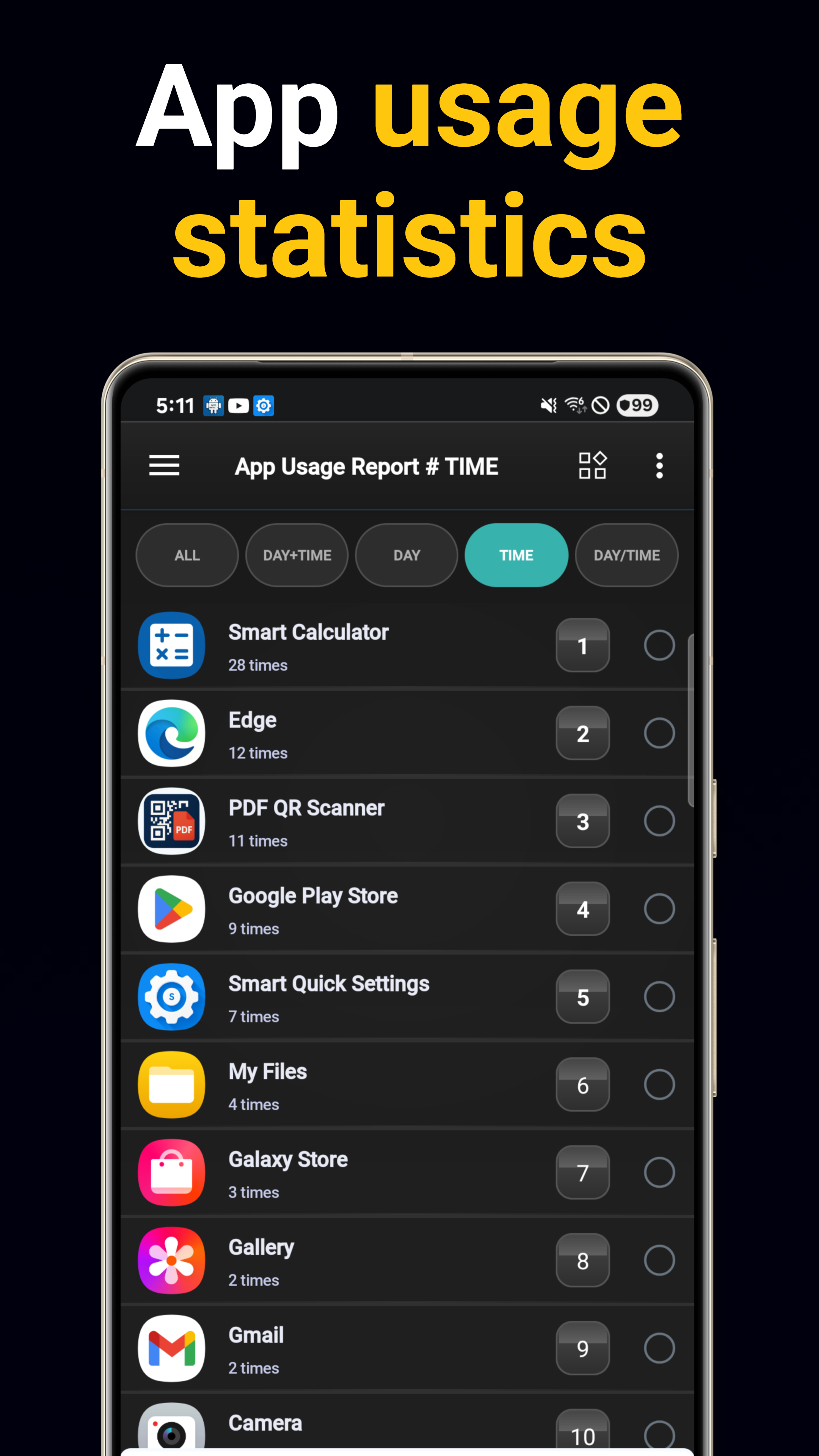
Аналитика использования
Ежедневные и почасовые отчеты об использовании с отслеживанием частоты запусков приложений. Определяйте самые используемые приложения.
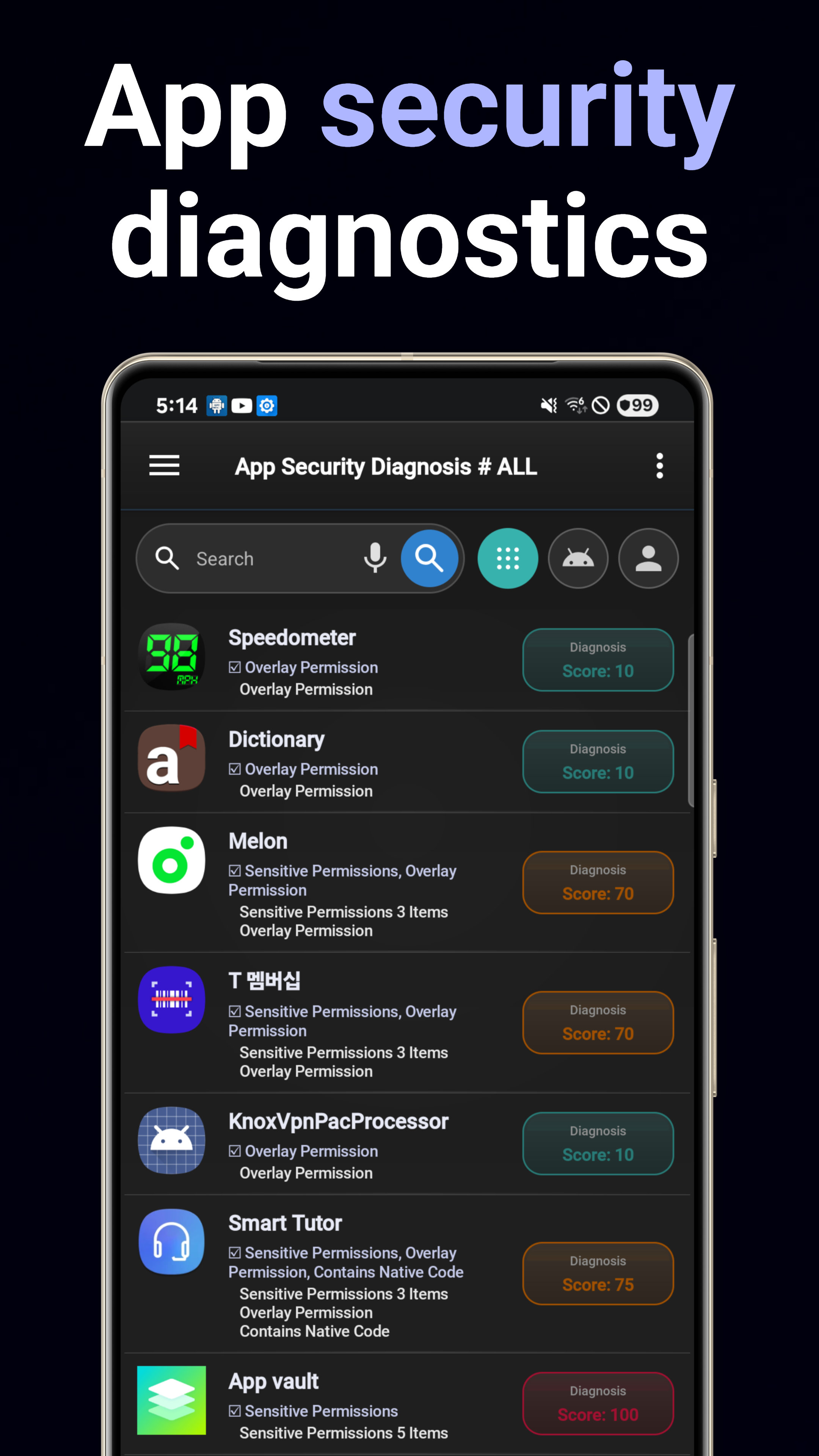
Диагностика безопасности
Сканирование на риски безопасности, уязвимости, подозрительное поведение и возможности отслеживания во всех установленных приложениях.
Аудит разрешений
Комплексный анализ разрешений приложений. Визуальная разбивка конфиденциальных разрешений и опасных комбинаций.
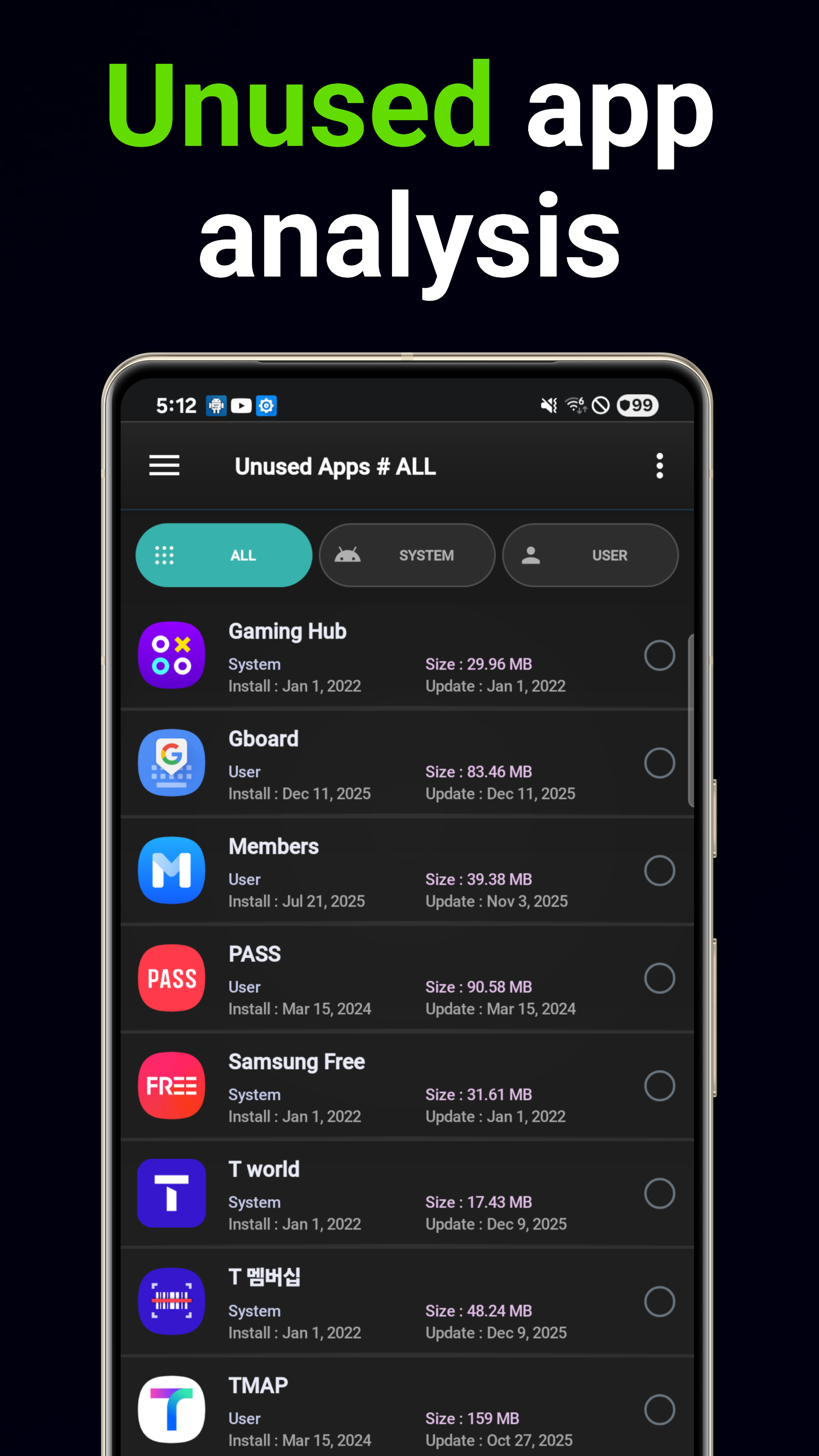
Умное удаление
Рекомендации по удалению на основе ИИ с учетом шаблонов использования и влияния на память. Автоматический поиск неиспользуемых приложений.
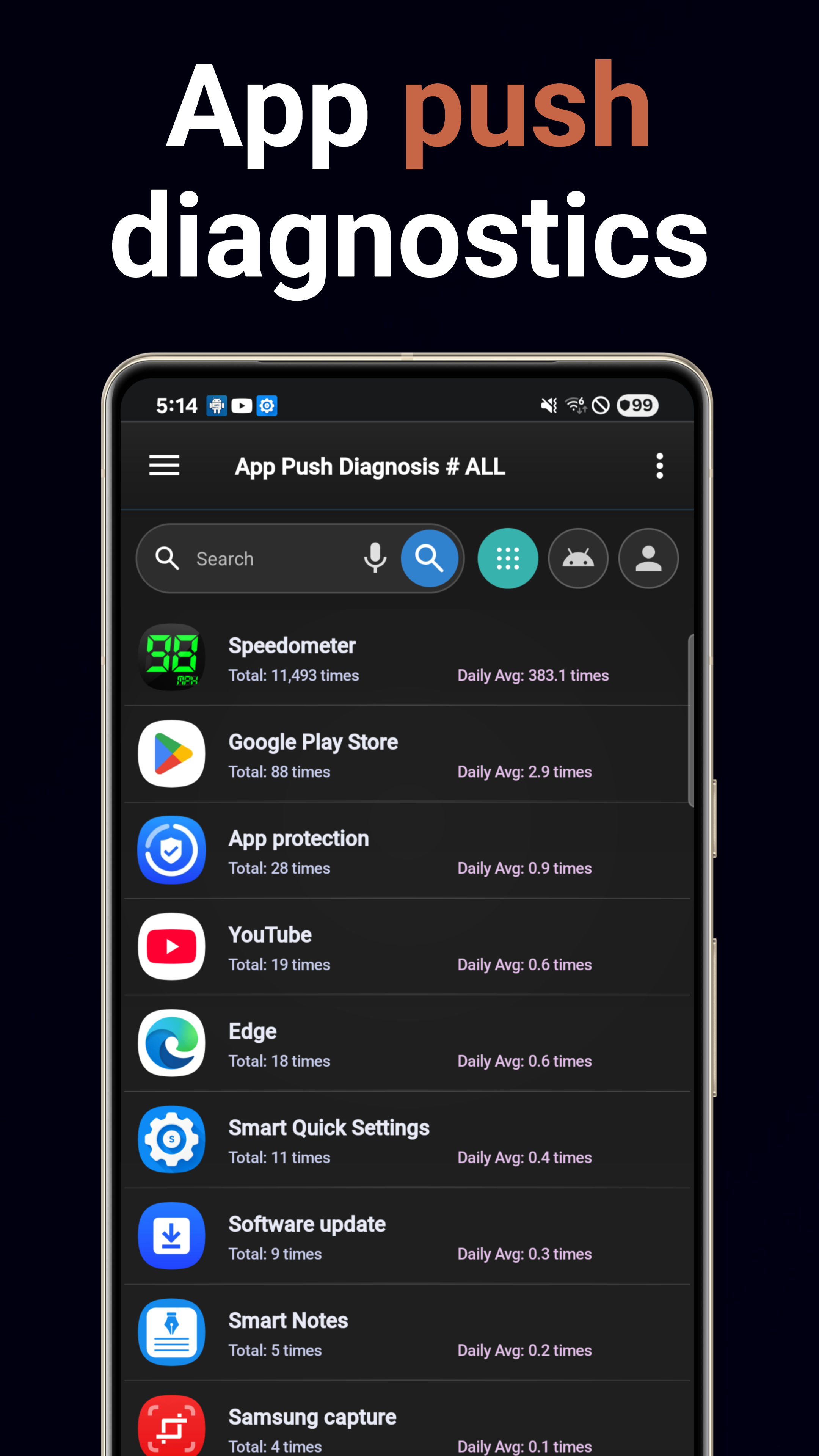
Аналитика уведомлений
Отслеживайте объем уведомлений по каждому приложению. Выявляйте «шумные» приложения и понимайте закономерности уведомлений.
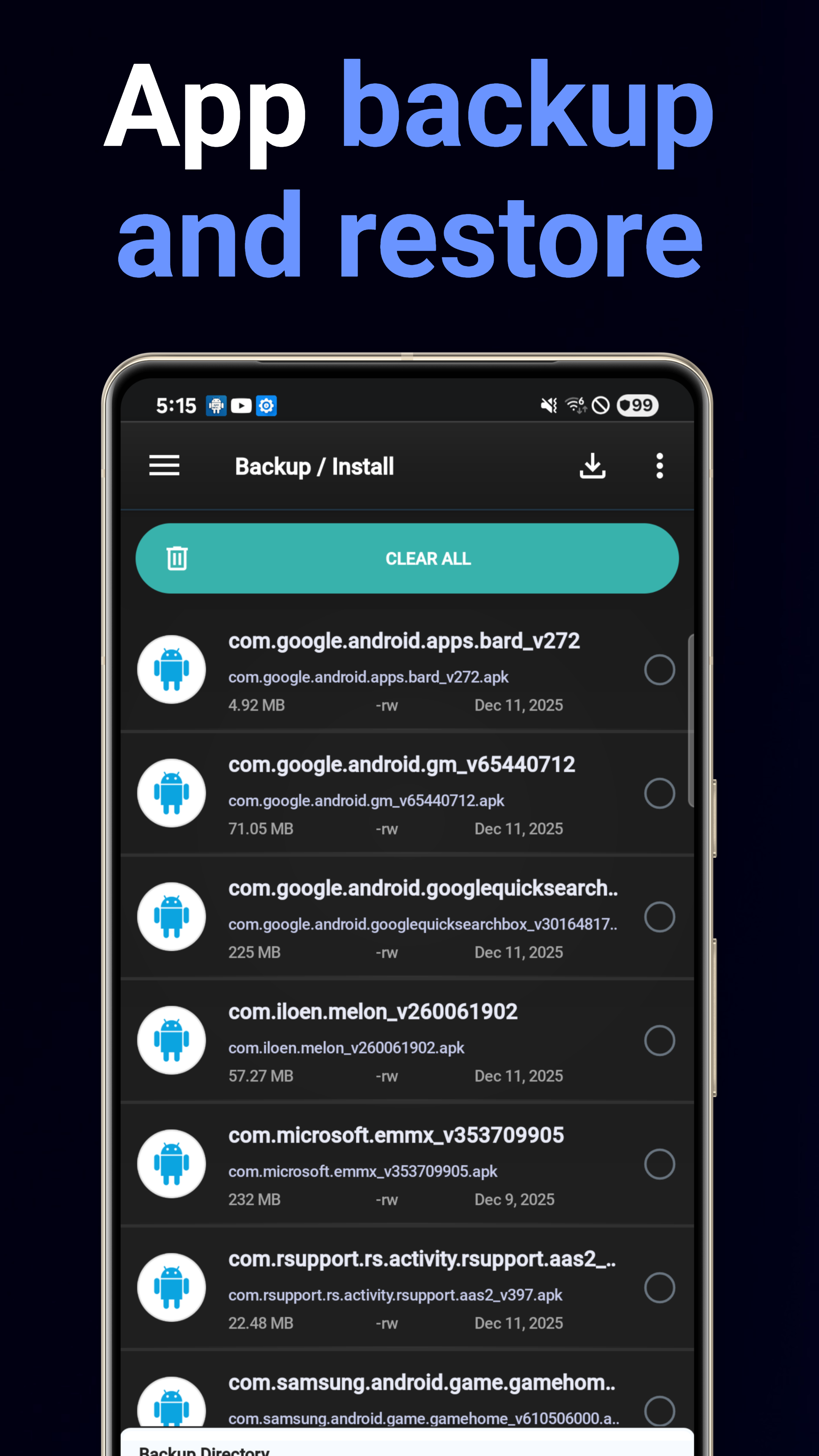
Резервное копирование и восстановление
Пакетное резервное копирование APK в хранилище с легким восстановлением одним касанием. Больше никогда не теряйте приложения.
Информация о системе
Панель характеристик устройства: процессор, память, хранилище, батарея, дисплей с возможностью экспорта в PDF.
5 виджетов на главном экране
Виджеты «Сведения о системе», «Сводка системы», «Советник приложений», «Поиск приложений» и «Избранное» для быстрого доступа.
Анализатор расхода батареи
Узнайте, какие приложения разряжают батарею. Разбивка потребления заряда по каждому приложению с ежедневными трендами.
Анализатор трафика данных
Отслеживайте Wi-Fi и мобильный трафик по каждому приложению. Выявляйте приложения, потребляющие много данных, и контролируйте фоновое использование.
Скачать сейчас
Бесплатно в Google Play.
Скачать в Google Play